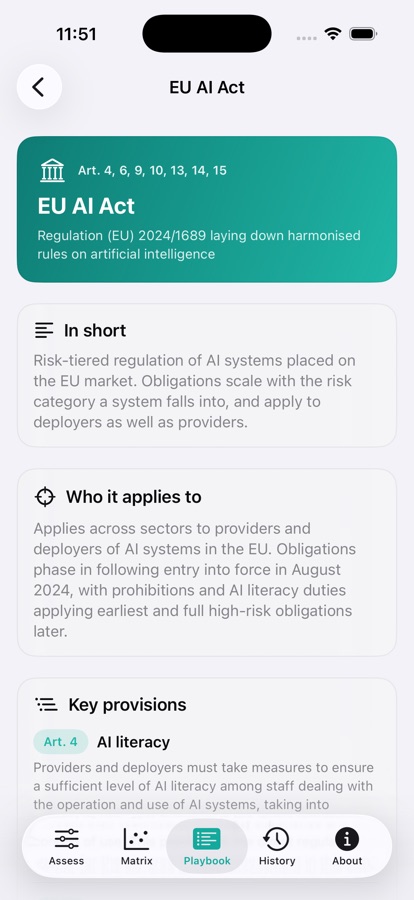
Score it, and see why
Move any of the nine inputs and the readiness index, strategic zone and process-hour estimate update instantly. Every literacy area shows its rubric band inline — Aware, Working, Proficient — so you always know what the number means.
- Live index combining literacy, technology and leverage
- Estimated monthly process hours and time saved
- Current zone surfaced the moment it changes
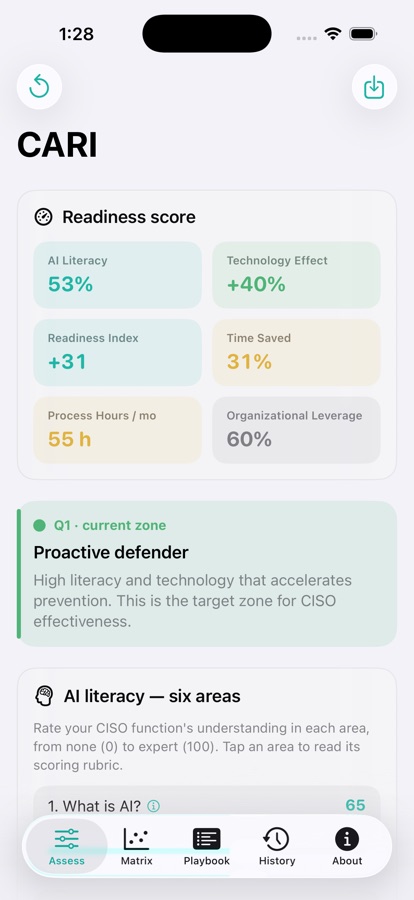
A rubric behind every score
Tap any literacy area for a full reference screen: what the area covers, why it matters to a security function, a five-band scoring rubric you can tap to set the score, the evidence questions to ask first, and concrete actions to raise it.
- Five bands from None to Expert, each with a descriptor
- Evidence questions — if you can't answer them, score conservatively
- Improvement actions written for a security function, not a classroom
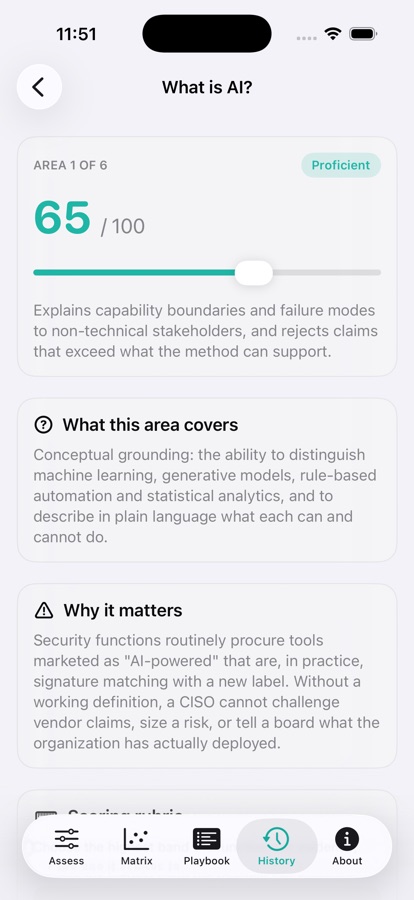
Track it over time
Save named, dated assessments and watch the trend. Every save keeps its raw inputs, so you can reopen it, compare it against the previous one metric by metric, export it, or load it back into the calculator to continue editing.
- Readiness and literacy plotted across every saved assessment
- Per-metric change since the previous measurement, with zone-change alerts
- Export a text report per assessment, or the whole history as CSV
Know where you stand
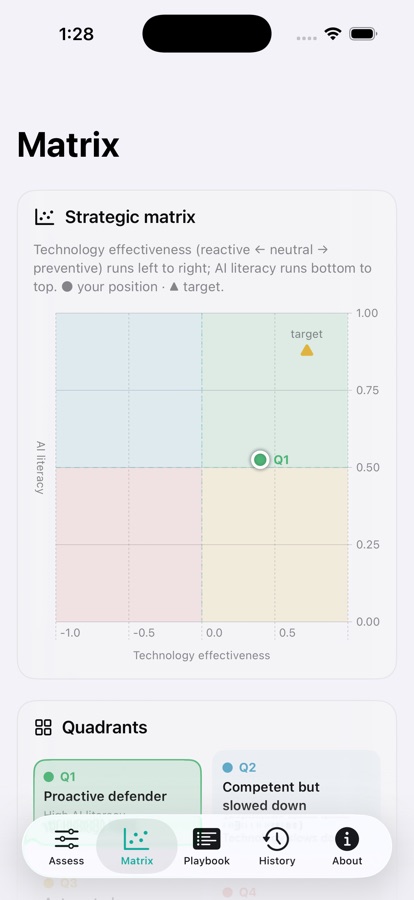
The 2×2 strategic matrix places your function against AI literacy and technology effectiveness, with the target zone marked. The quadrant — not the raw score — is what determines which intervention comes next.
- Your position and the target zone on one chart
- Four quadrants from Critical risk zone to Proactive defender
- Thresholds at literacy 0.5 and technology effectiveness 0
A playbook for your zone
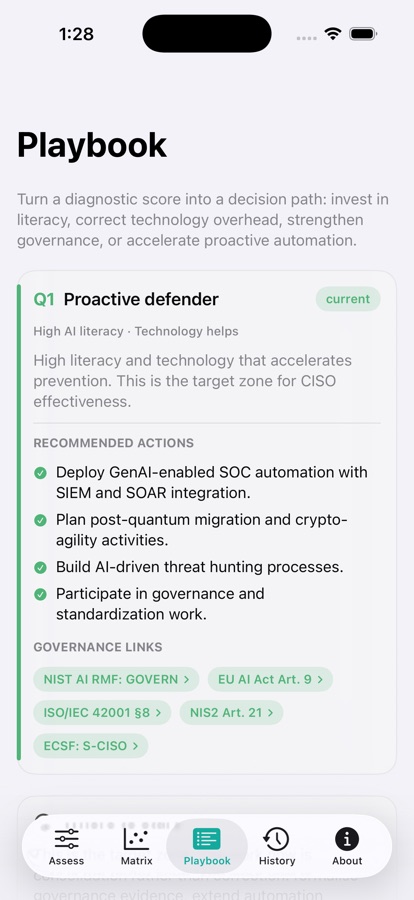
Guidance personalised to where you actually are, not a dump of all four quadrants. The app surfaces situation-specific priority advice, names your lowest-scoring area, and links each recommended action to the governance frameworks behind it.
- Priority guidance computed from your live inputs
- Your weakest literacy area surfaced for action
- Other zones available, but out of your way
Governance you can actually read
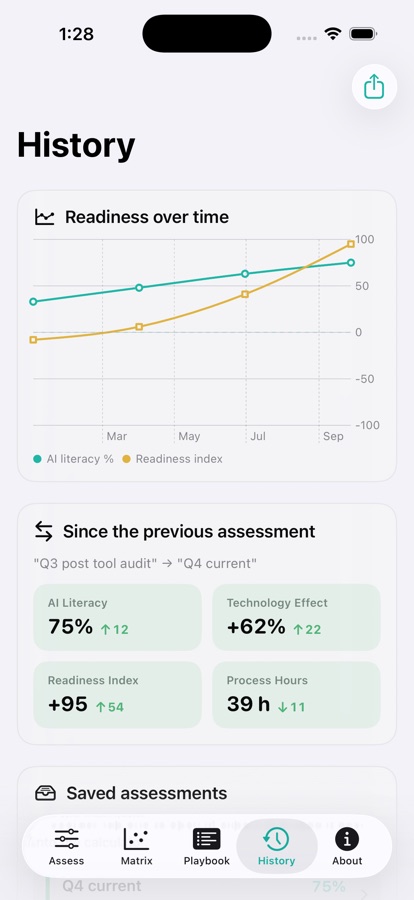
Every governance tag in the app is tappable. Behind each one is a full reference screen: scope, key provisions with their article text summarised, how CARI maps onto them, and a link to the official source.
- EU AI Act, NIS2, ISO/IEC 42001, NIST AI RMF, ENISA ECSF
- Provision-level detail, not a logo wall
- Every framework links out to its primary source